The tour, in the order a season happens: plan the week, run the match, move the squad,
count the money, keep the paperwork straight, and put all of it in the hands of the people carrying phones.
Pre-season
Plan the week once. Publish it everywhere.
Drag training and gym sessions onto the calendar; matches and flights land on the same grid by themselves. Stamp a template across the season, and when the week is ready, publish it straight to your players.
Day, week and month views with 15-minute granularity
Matches and flights on the same grid, no second system
The 03:00 airport bus sits on the grid like anything else
Publish once and it stays live, every later edit included
Week 47 · U19Templates · Publish
Published to 23 players
Mon16
Gym07:15
Training17:30
Tue17
Training17:30
Video19:15
Wed18
Rest dayRecovery
Thu19
Training11:00
LGW → SZG06:50
Match day
Run the ninety minutes from one sheet.
Pick the squad, drag the order, set the formation. Log goals, cards and subs as they happen; a second yellow turns red by itself. Need a striker from the U21s? Call them up without leaving the page.
Squad board: starters, subs, reserves, out
Live events timeline with score and periods
Cross-team call-ups, documents follow the player
MD 14 · vs SC Ravensdorf4-3-3 · away
Meridian FC U192 - 1 Full timeSC Ravensdorf
Starting XI11 / 11
1Luca MorettiGK
4Jonas BaumC
8Dani SilvaCM
9Emeka OkaforST
11Liam CarterLW
Events
23’Silva assist Carter
41’Baum
55’Ravensdorf counter
64’⇄Duarte on for Carter
78’Okafor pen.
Off the pitch
Compliance you can see coming.
Every passport, visa and medical clearance on one matrix, color-coded by expiry. Policies get signed and tracked, wellness forms get answered from the bus, and the trend line tells you who to check on before it becomes a problem.
Documents matrix with early expiry warnings
Policy sign-off: who read it, who hasn’t, timestamped
Wellness & custom forms with cross-round trends
Documents · U192 need attention
Player
Passport
Visa
Medical
Dani Silva
✓
✓
✓
Jonas Baum
!
✓
✓
expires in 24 days
Emeka Okafor
✓
✕
✓
visa missing
Liam Carter
✓
✓
✓
Squad wellness · 6-round trend18 of 23 submitted today▲ 0.6
Every morning
Walk in already caught up.
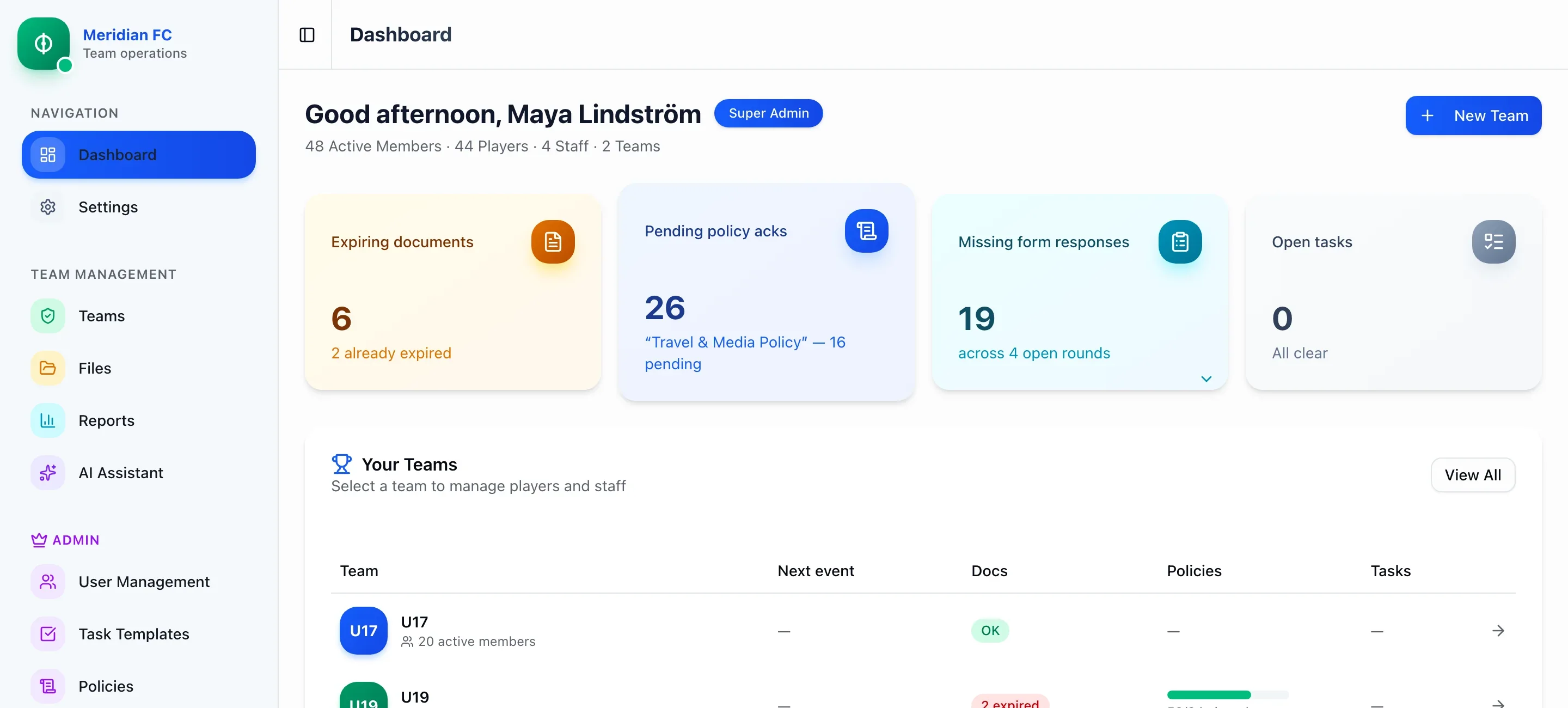
The dashboard triages the whole club before your coffee does: documents about to expire, policies still
unsigned, form responses missing, and every team’s next event, on one screen.
Swipe to see it all
The trip schedule
One schedule, two ways to touch it.
A Day sheet to read and edit, a Calendar to see and drag, and one set of rows behind both.
Session planner
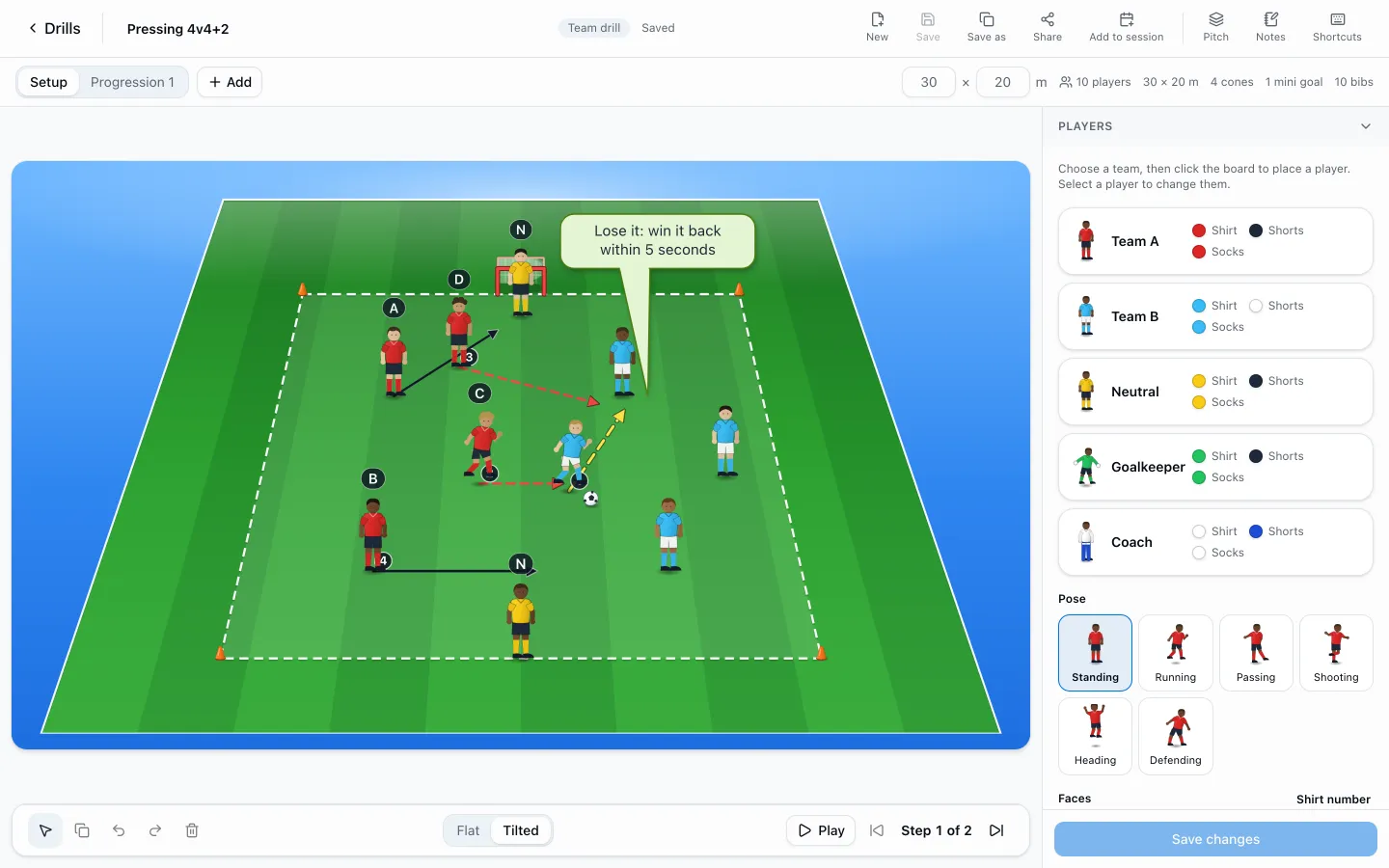
Draw the drill on a 3D pitch. Plan the session on the day’s real squad.
Place players in your kits, add cones, goals, arrows and speech bubbles, and build up to eight steps you can
play back. A plan sits on the training, the trip activity or the calendar, split into groups from who is actually
available that day, with a check for overruns and hard blocks in a row. Send it for review, publish it, present it
on a big screen, and print a coach pack or a player handout in five languages.
Swipe to see it all
Calendar
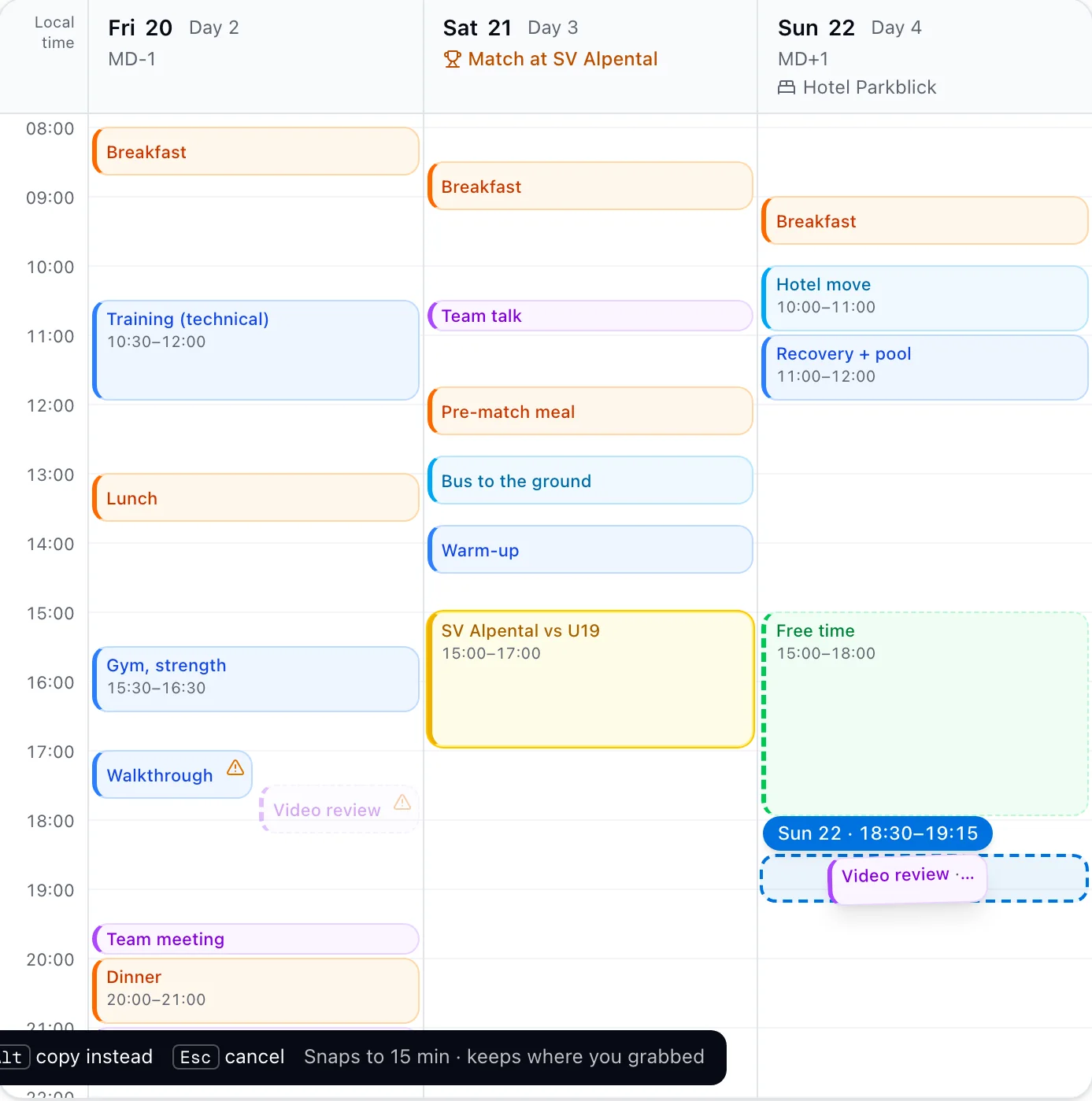
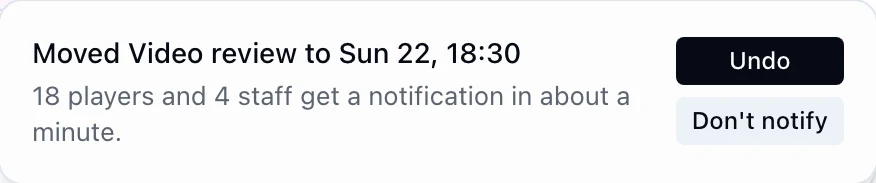
Drag it to Sunday evening. Eighteen players and four staff are told, a minute later.
It lands on the quarter hour; hold Alt to copy, Esc to cancel. The toast says who will hear about it, and
Undo or Don’t notify is one press away. Matches and flights sit on the same grid and cannot be dragged at all (they are edited in
Logistics and Matches), and a clash lights up the moment two items for the same people overlap.
Swipe to see it all
Day sheet
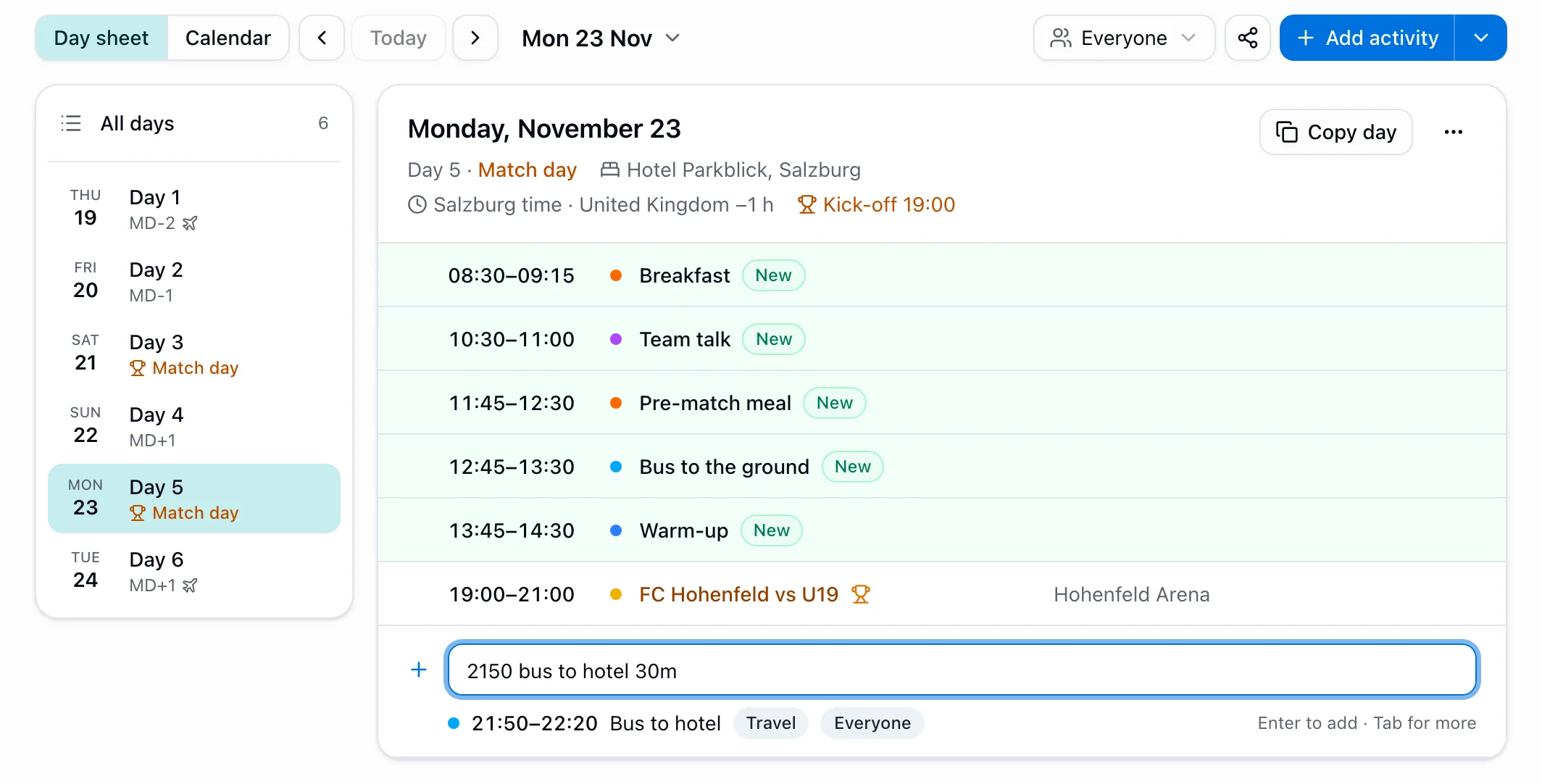
Type “2150 bus to hotel 30m” and press Enter.
It becomes a Travel item at 21:50 for 30 minutes, for everyone, and the preview line shows what it understood
before anything is saved. The header says which day this is, which hotel the team sleeps in and whose clock it
runs on. Click any cell to edit it where it sits.
Swipe to see it all
Match-day plans
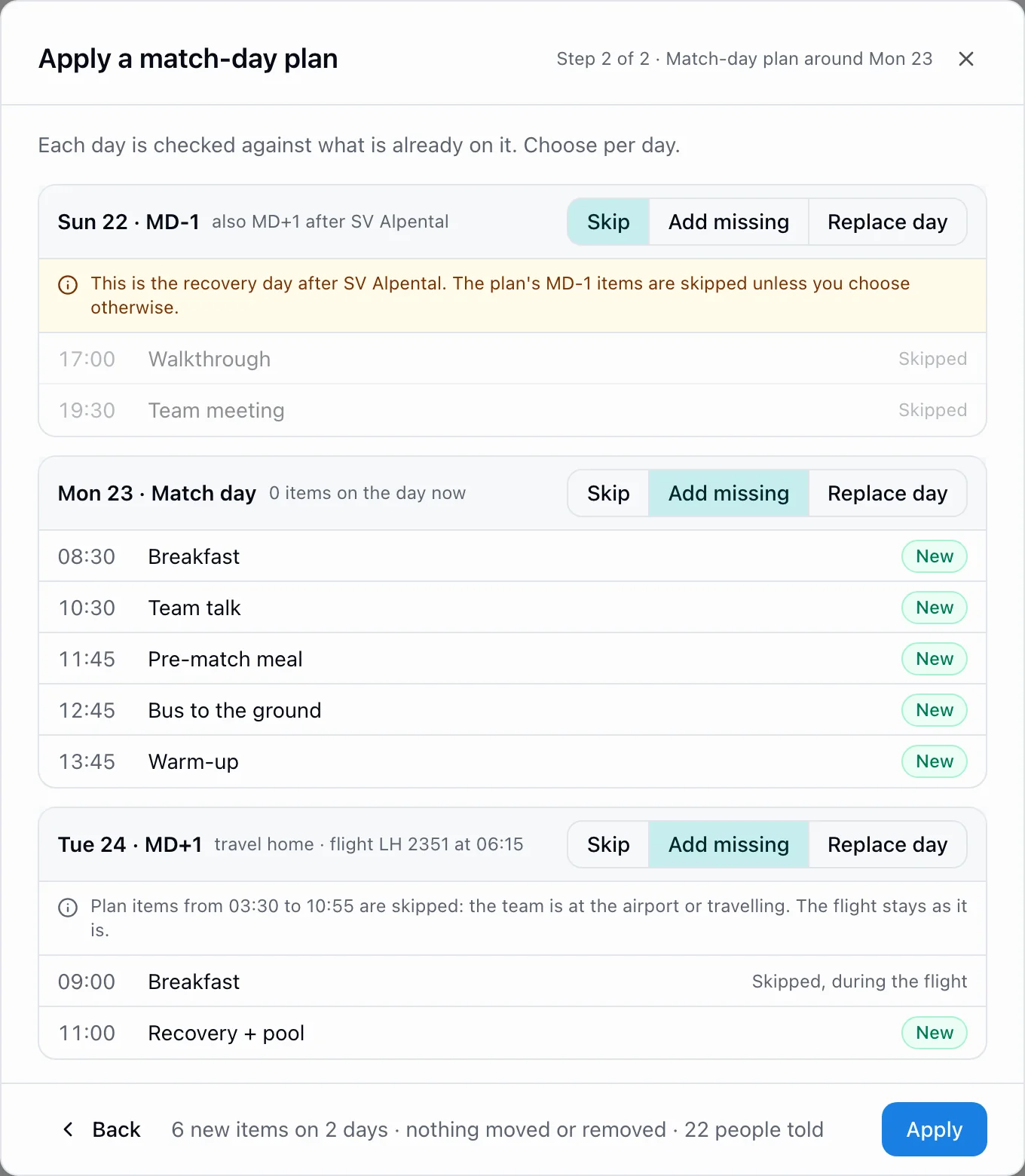
A plan around the fixture, checked day by day.
Apply the walkthrough, the team meal and the bus around a match, then choose per day: skip, add what is
missing, or replace. It leaves the recovery day after the last match alone and skips what falls while the
team is at the airport or in the air.
Swipe to see it all
History of changes
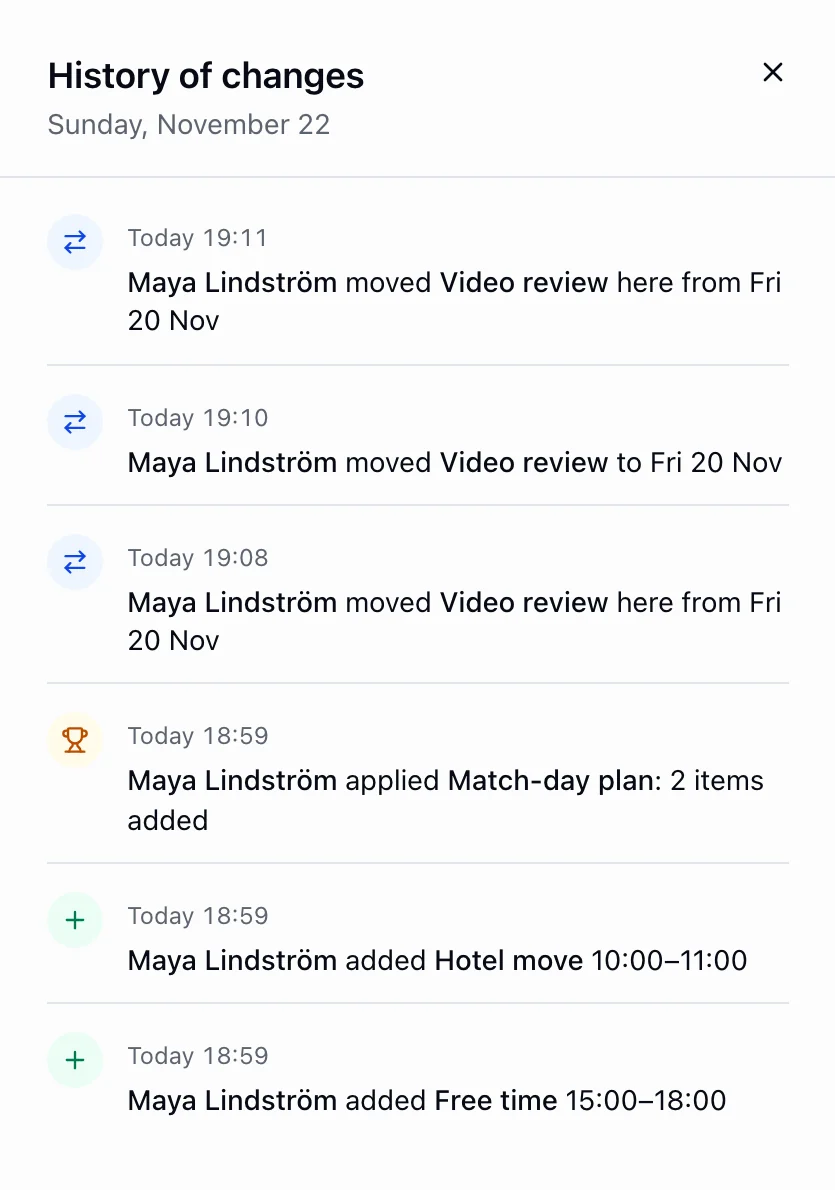
Who moved what, and when.
Every day keeps its own history, built from the audit log: what was added, moved, renamed or deleted, who did
it, and which plan added items to that day. A day can also carry a staff-only note.
Live product, shown with demo club data.
Rooming
A rooming list is the last thing you want to retype.
Start from a trip you have already run, or a hotel you have already roomed, and see the whole plan first.
Copy rooming
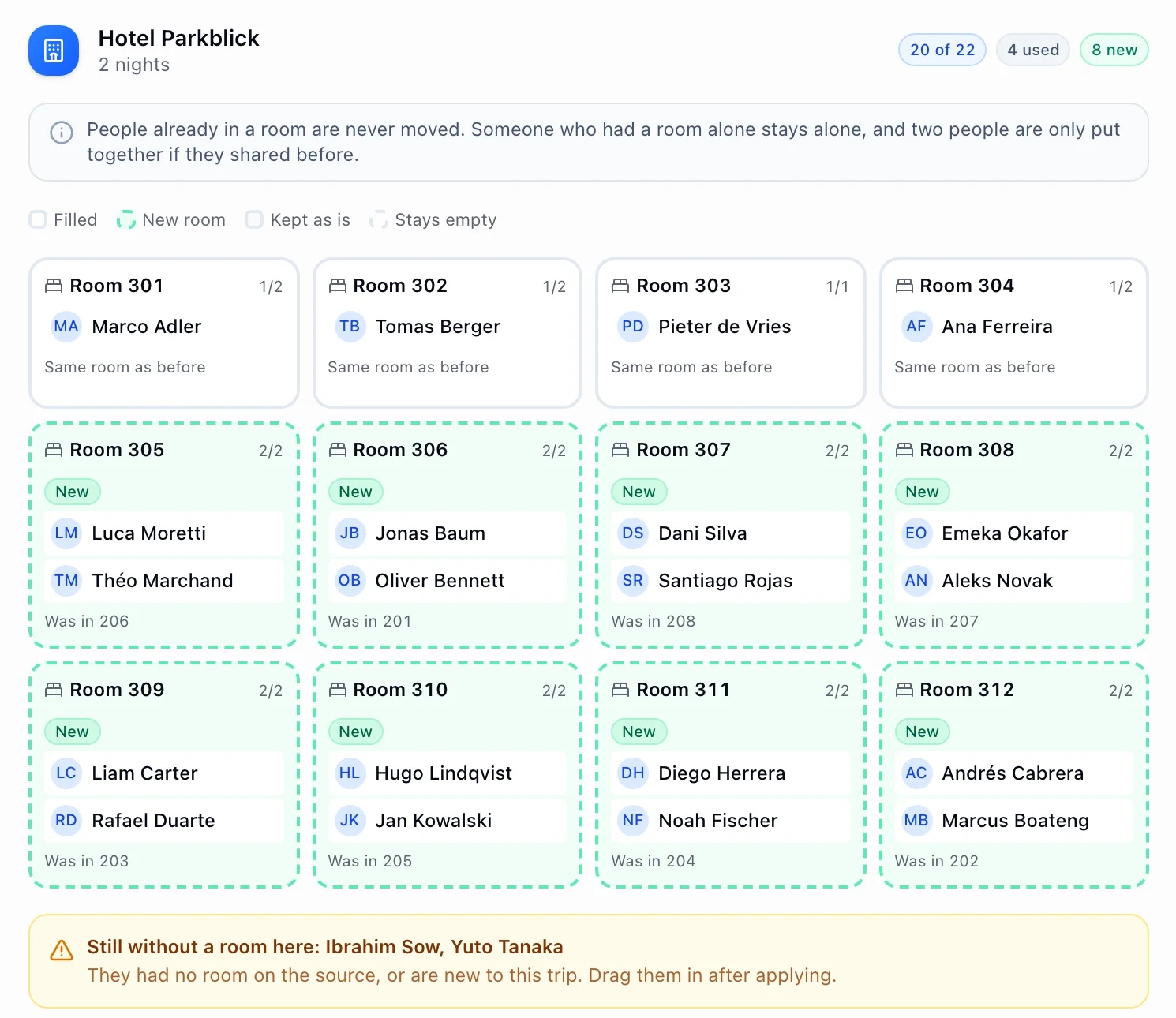
Same roommates, new rooms, nothing written until you say.
Anyone whose old room number is free keeps it. Pairs from the first hotel move together into rooms the wizard creates in
this hotel’s own numbering, marked New, and anyone it cannot place is named. A person who had a room
alone stays alone, and two people share only if they shared before.
Swipe to see it all
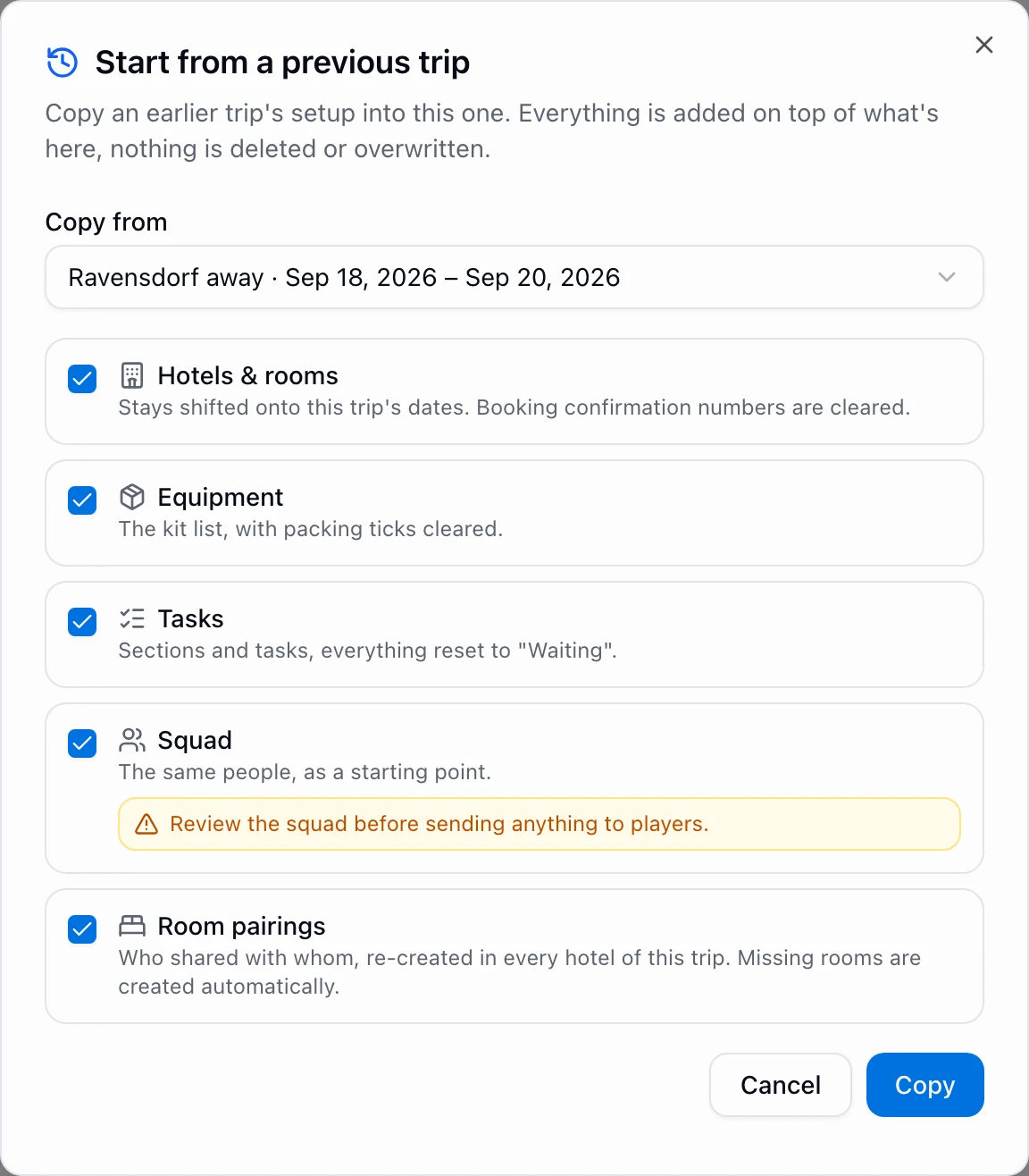
Start from a previous trip
Last trip’s setup, on this trip’s dates.
Hotels and rooms shifted onto the new dates, kit with the packing ticks cleared, tasks back to waiting,
the squad, and who shared a room with whom.
Swipe to see it all
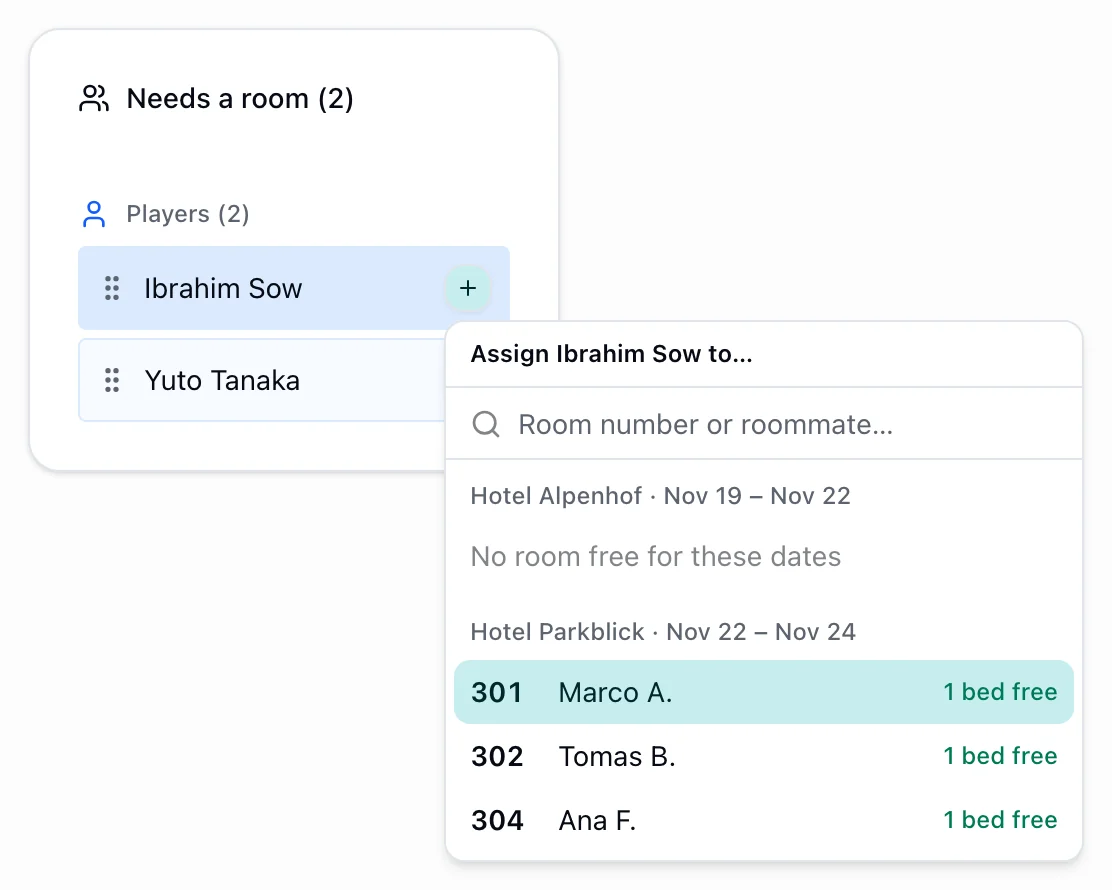
Placing without dragging
Every free bed is a button.
Pick someone who still needs a room and see exactly which rooms can take them, hotel by hotel, half-full
ones first. When a hotel has nothing free for those dates, it says so instead of offering a room that cannot work.
Live product, shown with demo club data.
The away trip
Thirty people, and it names the four who are not ready.
A trip is thirty people, two flights, a hotel, a kit truck and a folder of paperwork, and the
only question that matters is whether all of it is actually booked. Matchday answers it as a row per person, and
every gap is a link to the screen that closes it.
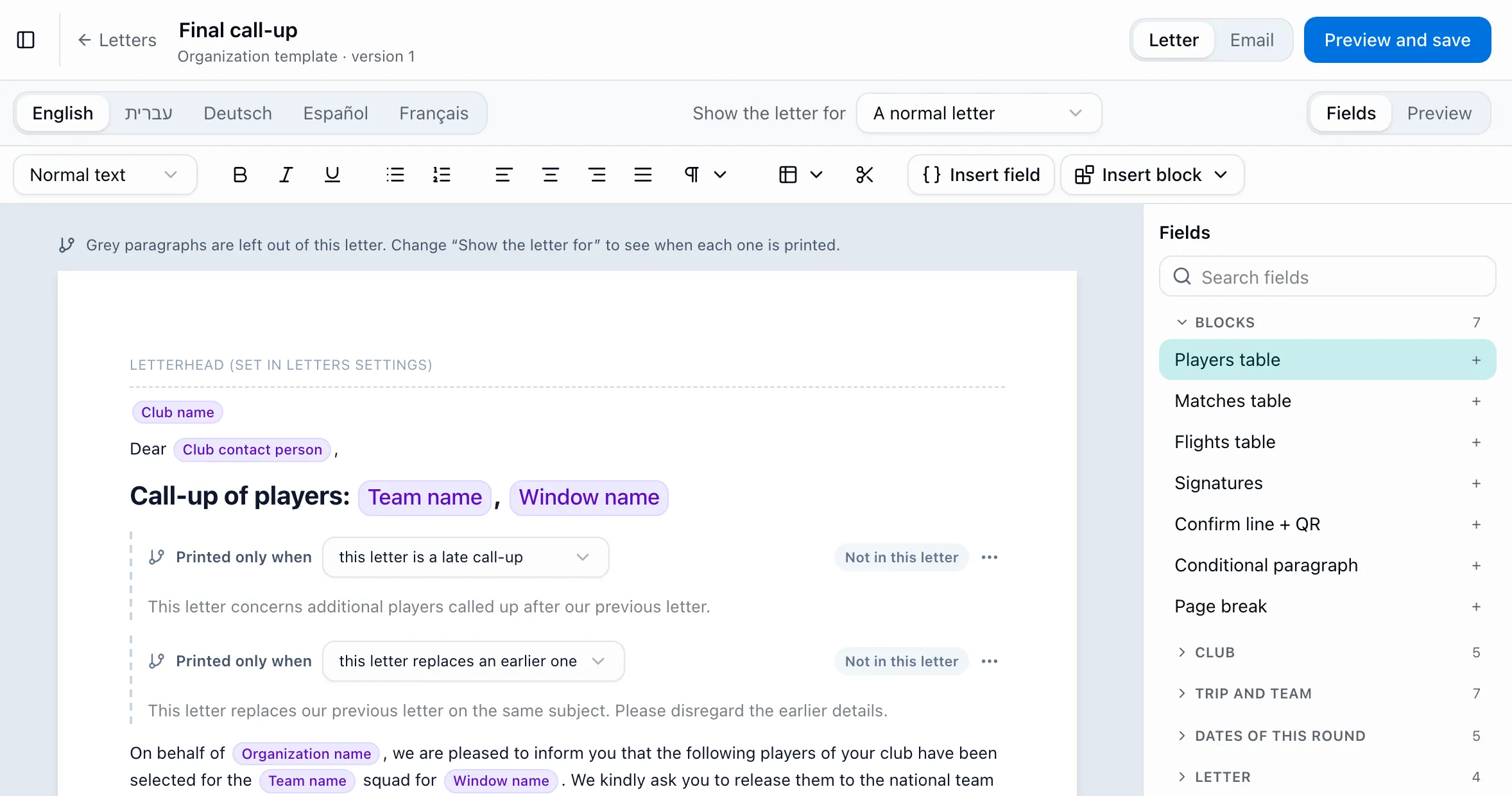
Call-up letters
One letter per club, confirmed with a click.
Write the call-up letter once, in up to five languages, with the players, matches and flights as tables and
paragraphs that print only when they apply. Matchday makes one letter for each club and keeps an early list
apart from the final squad. Send from your own Outlook or download the PDFs; the club confirms from a button
in the email or the QR code on the letter, and your staff get a reminder before every deadline.
Swipe to see it all
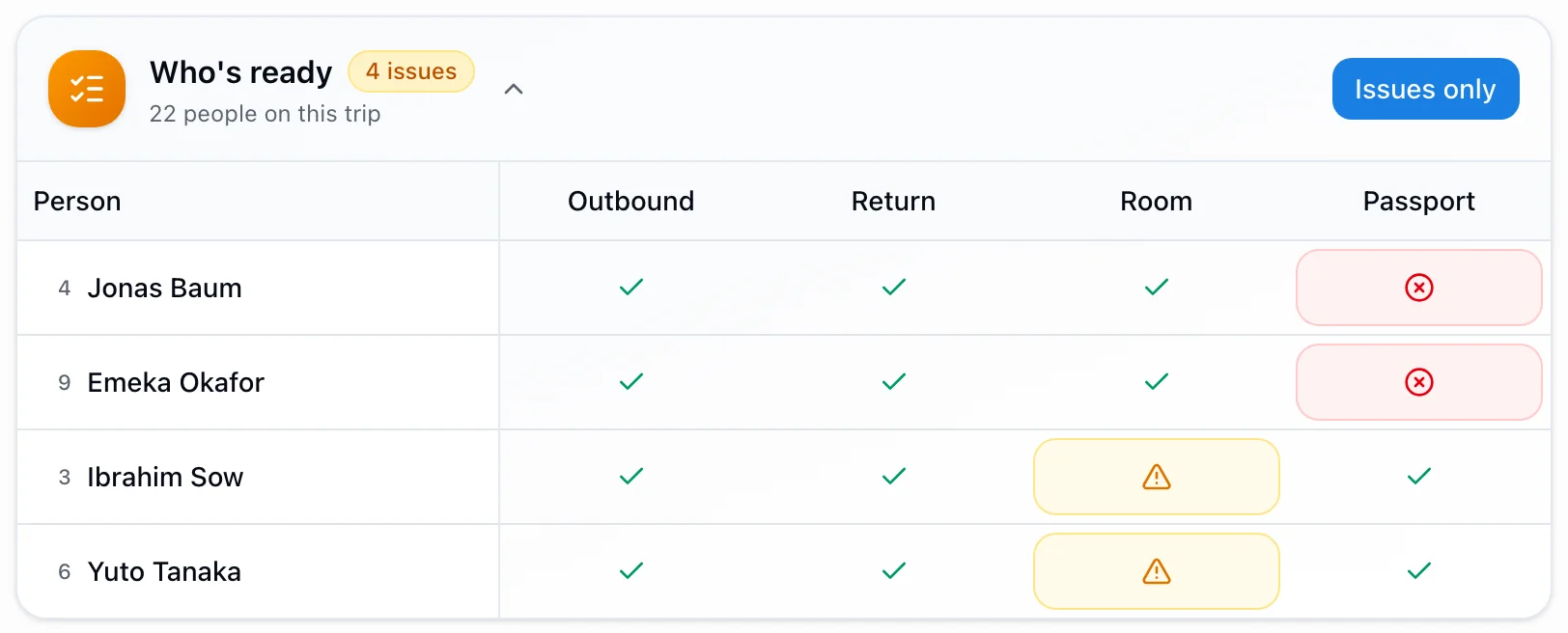
Trip readiness
Four people, four gaps, nothing hidden behind a green tick.
Flights, beds and passports for everyone travelling, staff and guests included. Switch to
“issues only” and the trip becomes a to-do list you can finish.
Swipe to see it all
Travel groups
When half the squad flies on a different plane.
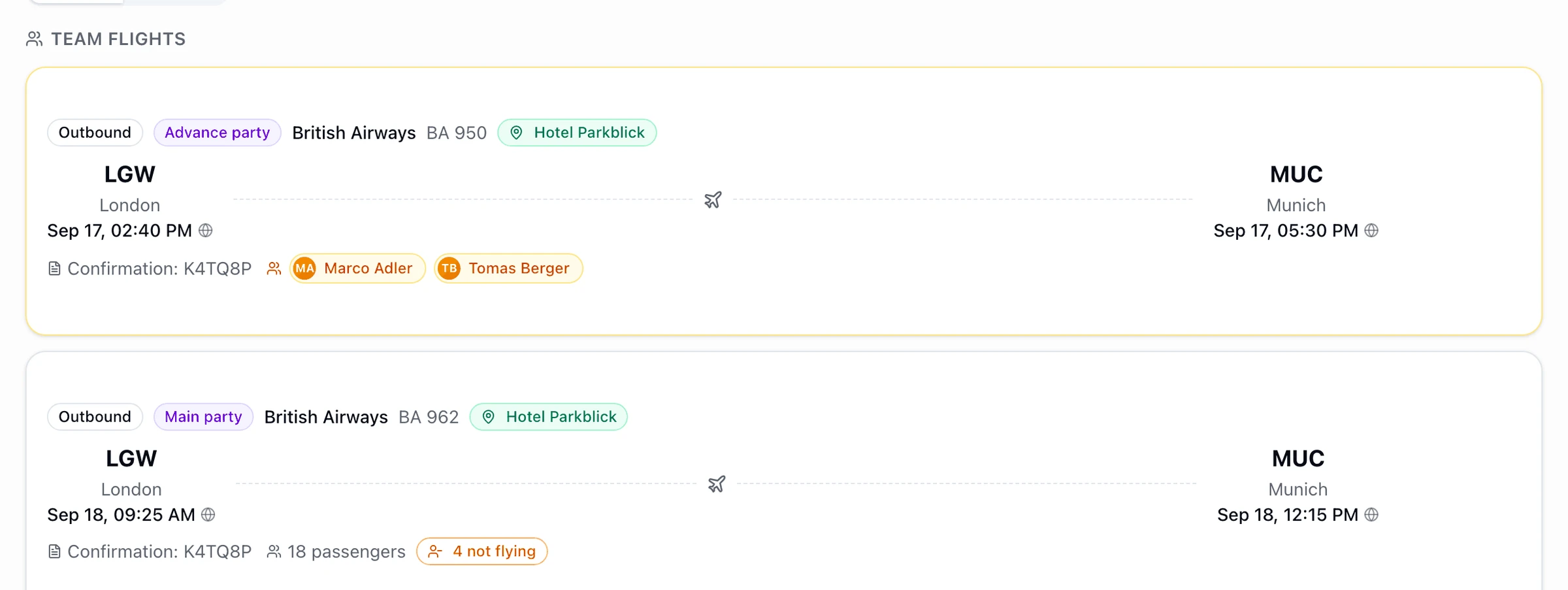
Two staff go out a day early to see the pitch; the party follows on Friday. Each booking carries its own
name and its own manifest, and shared legs are spotted for you.
Swipe to see it all
Hotel paperwork
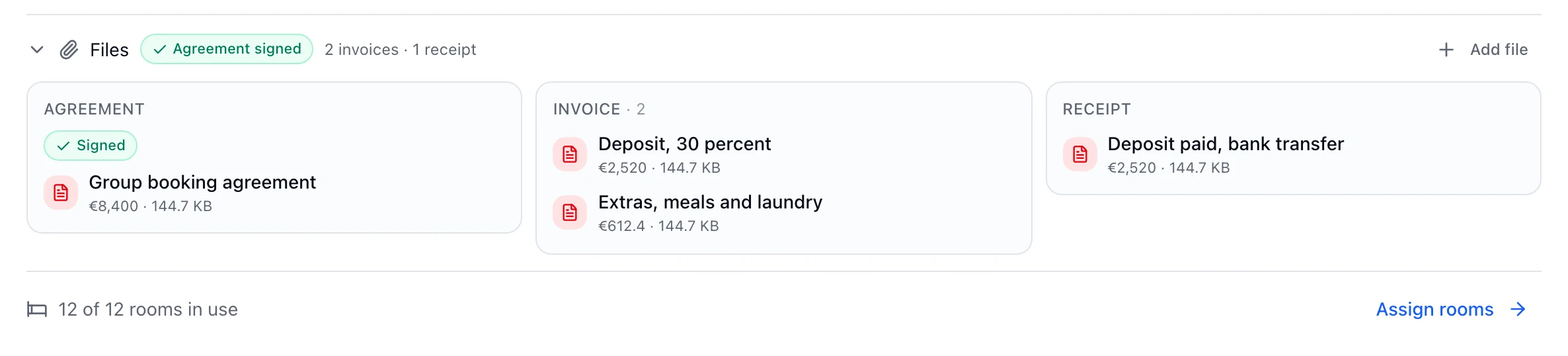
The agreement, the invoices and the receipts, on the hotel.
Signed or not signed is a pill you can see without opening anything. Invoices and receipts are lists,
because real group bookings bill a deposit, a balance and the extras separately.
Swipe to see it all
Kit list
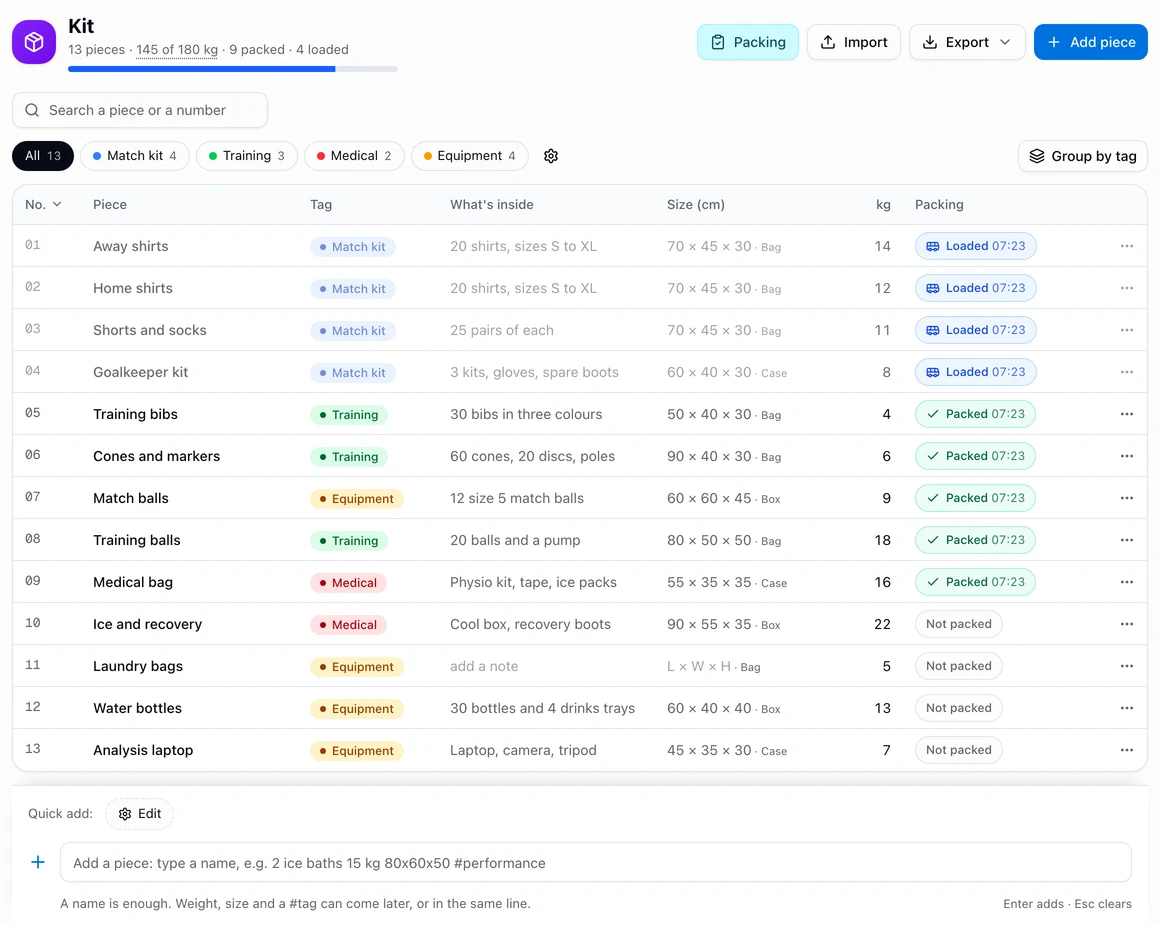
Every bag on one list, and where it is.
A number, a weight and a colour tag for each piece, with the total against the airline allowance. Type a
piece on one line to add it, tick it packed in the kit room and loaded at the bus, each with the time, print QR
labels for the bags and start the next trip from this one’s list. The iPhone app gets the Kit view and
the label scanner with its next update.
Swipe to see it all
Joins late, leaves early
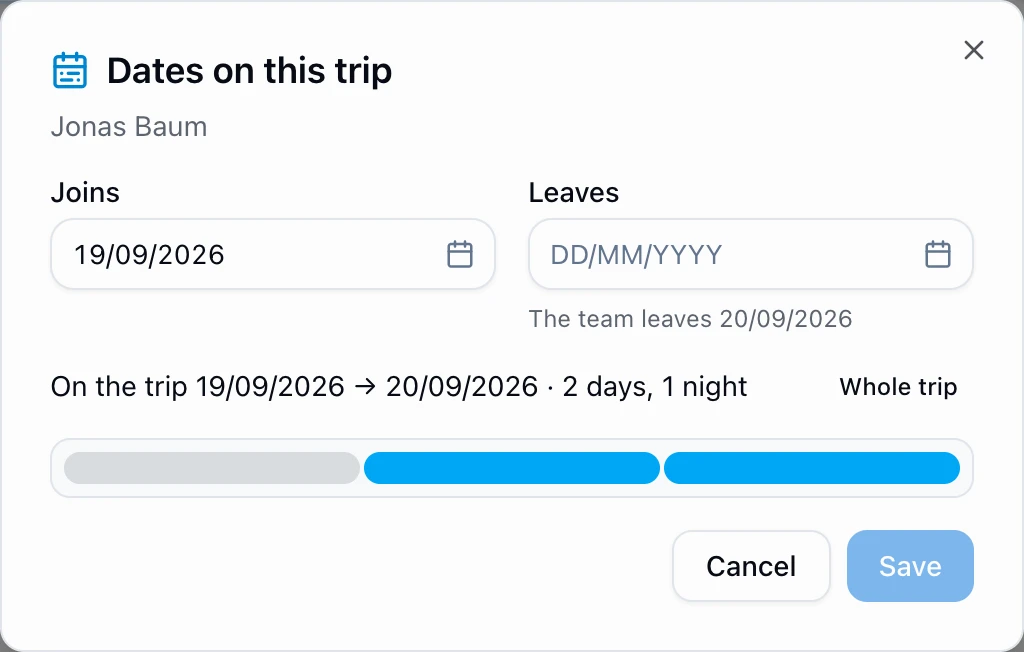
Not everyone is on the whole trip.
A player who arrives from another camp, a security officer who covers one leg: give them their own dates.
Rooms, flights and attendance then count them only for the days they are actually there.
Share a link
Send the schedule, not a PDF of it.
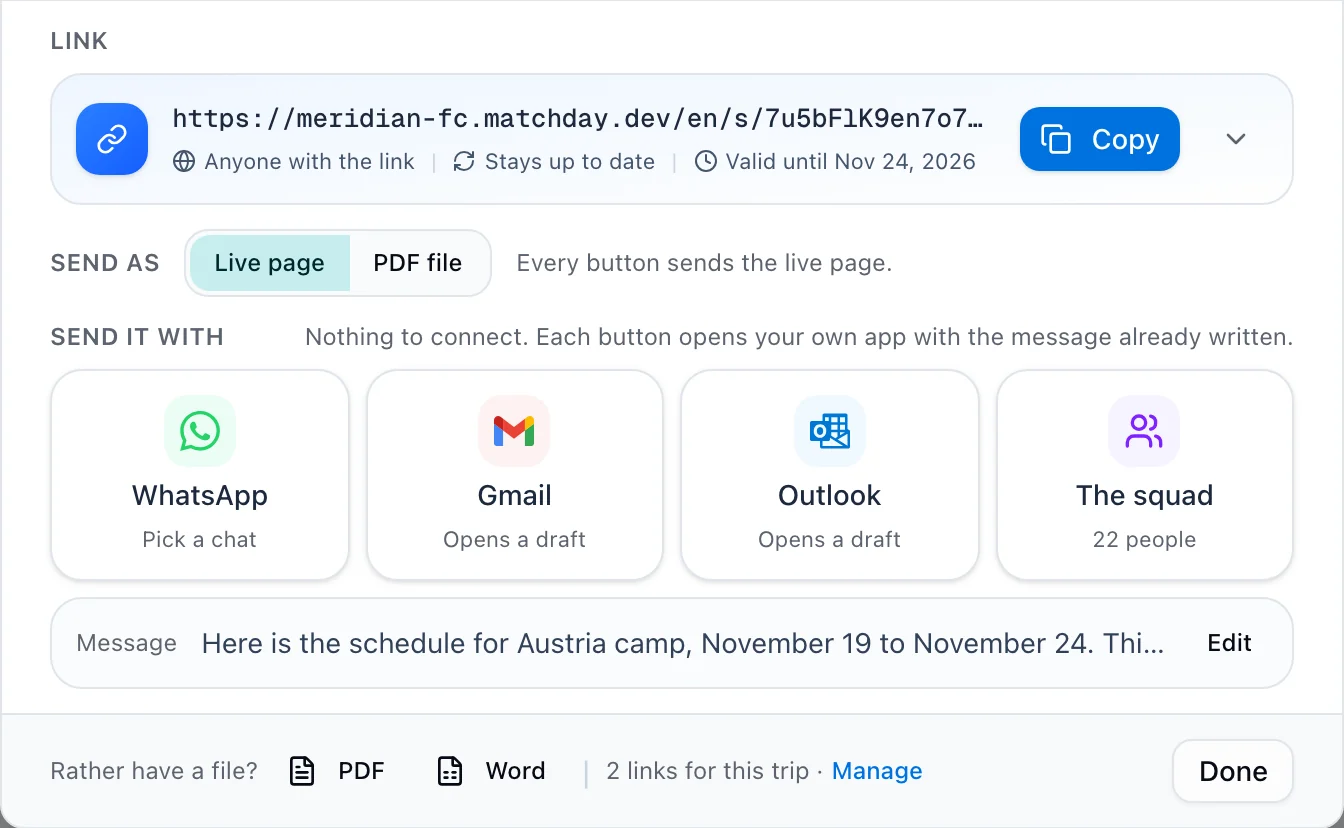
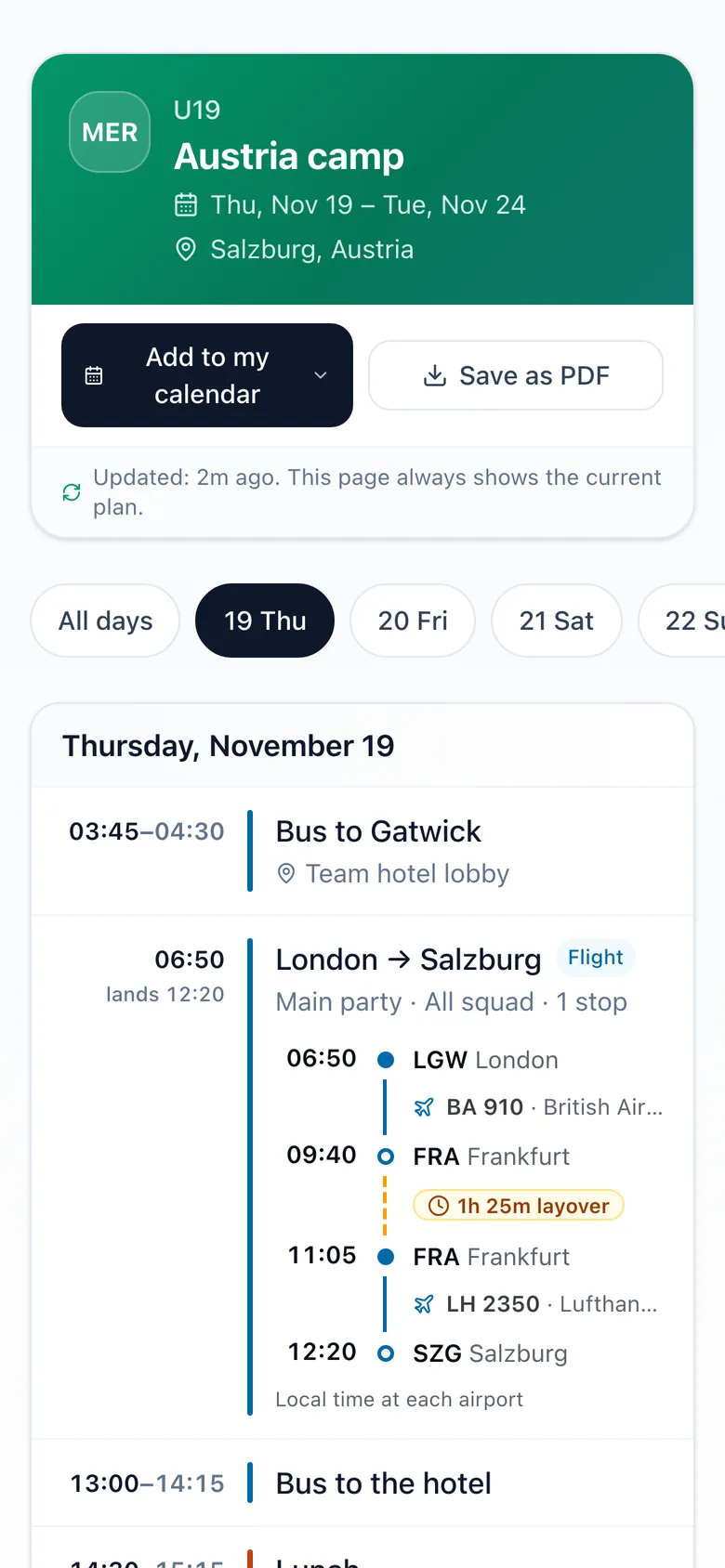
One link that opens on any phone with no app and no sign-in, and always shows the current plan, so a
moved bus time reaches everyone without a second message. Send it with WhatsApp or email, or have Matchday
email the squad for you. On the right is what a stranger sees when they open it.
Live product, shown with demo club data.
The people
Every player on one page, and only what each person should see.
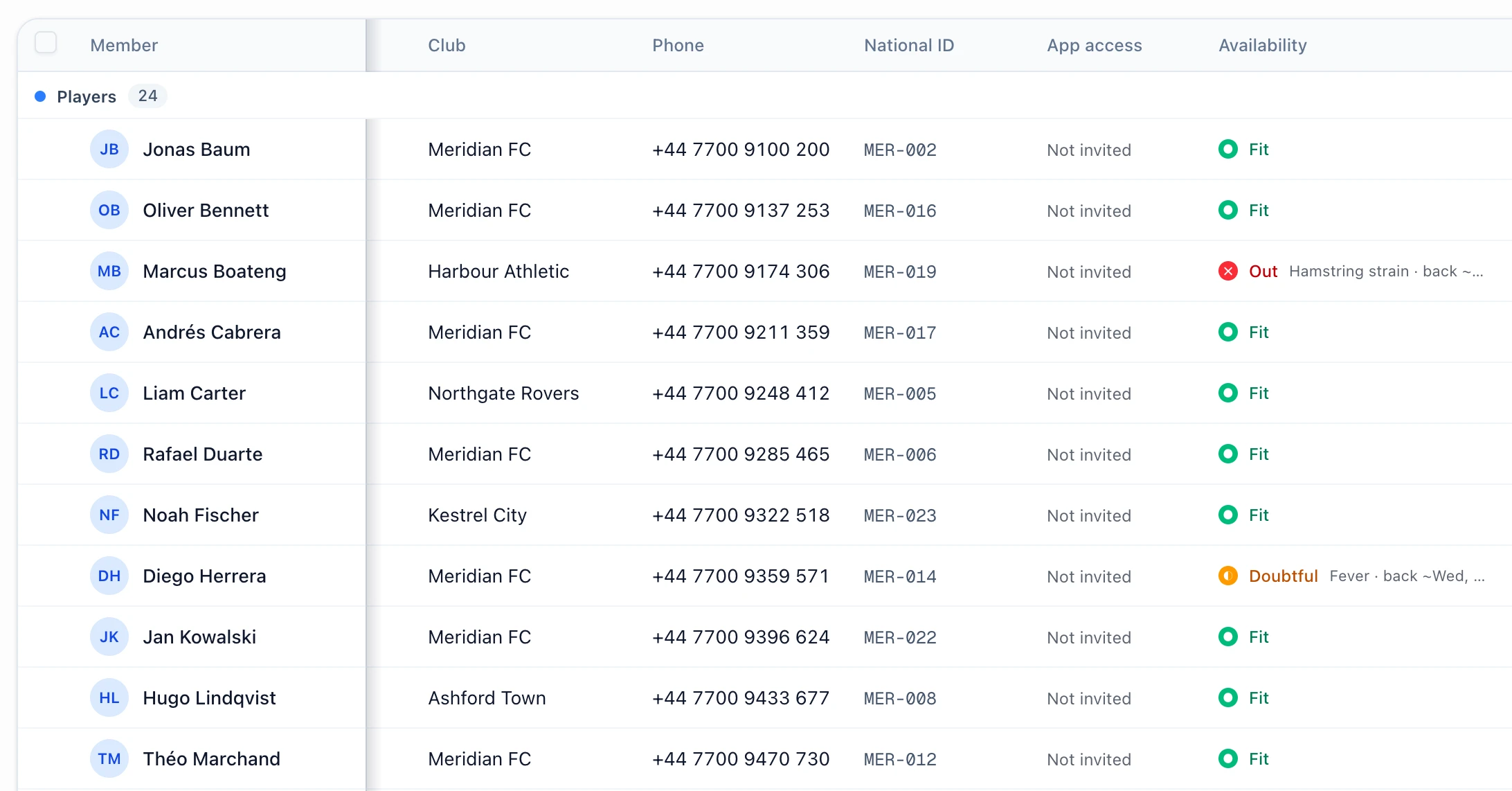
The roster is where the season starts: positions, clubs, phone numbers, documents and who is
fit to play, in a table that works like a spreadsheet. Identity numbers stay hidden from staff who have no reason
to see them, and passports arrive photographed and already checked.
The roster
The name column stays put while you scroll.
Freeze, resize and fold columns, and edit a cell where it sits. Who is out and why is on the same row,
and the way you set the table up is saved for you.
Swipe to see it all
Sensitive data
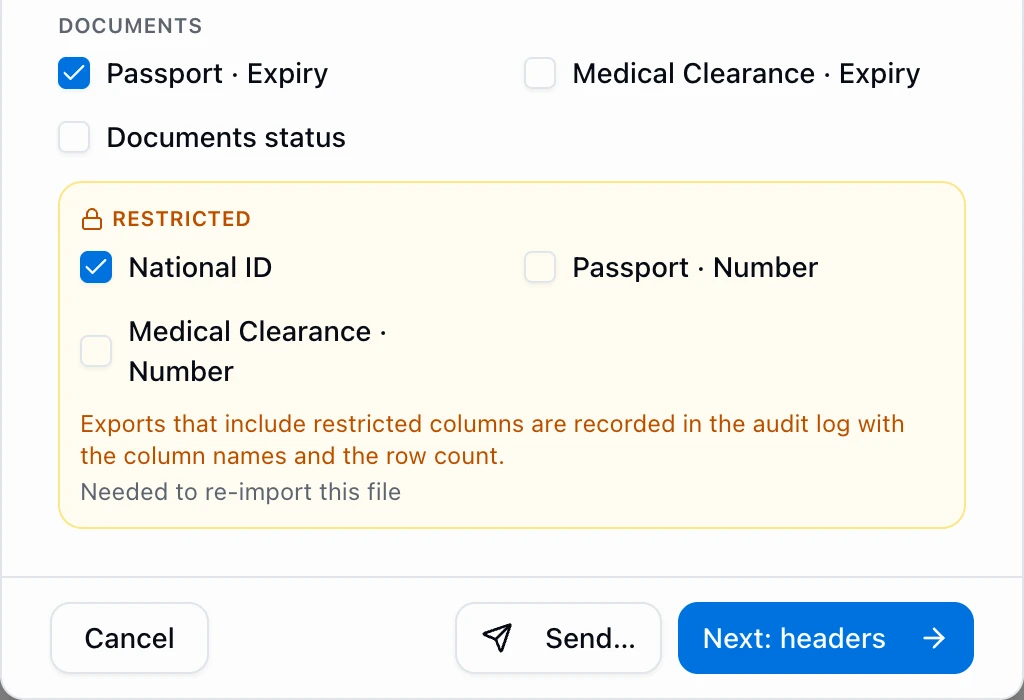
A national ID nobody needs to see.
ID and passport numbers are masked for staff without permission to see them. Exporting them is a
separate, deliberate choice, and every such export is logged with its columns and row count.
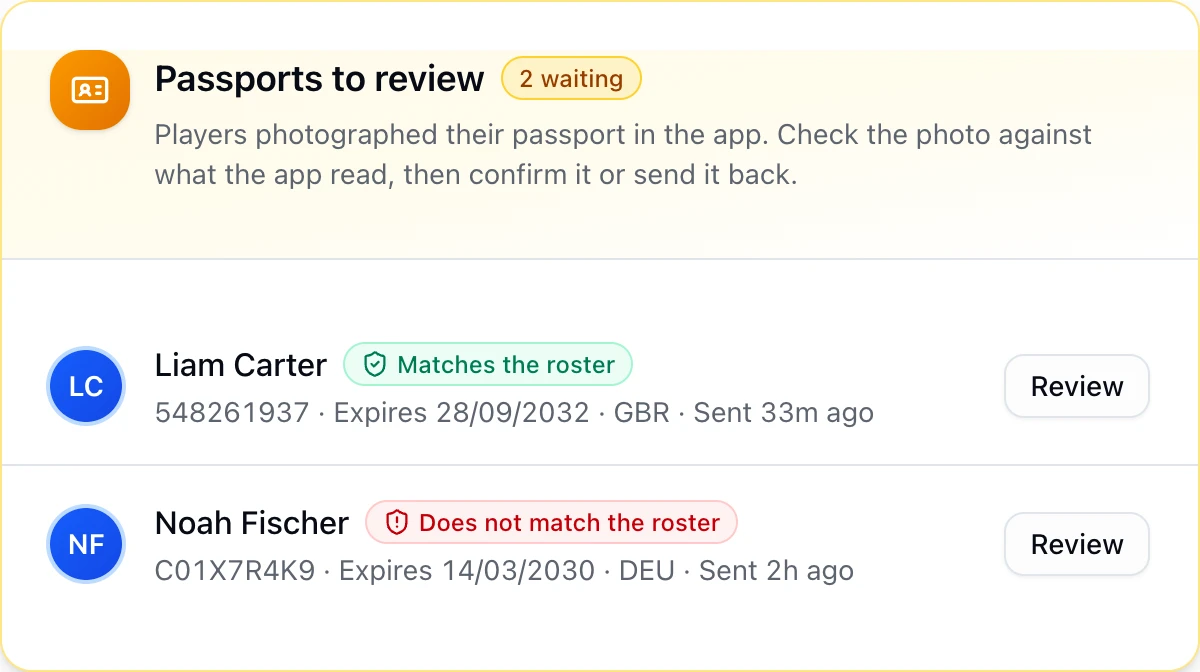
Passports
The passport reads itself, on the player’s phone.
Players photograph the photo page in the app, which reads the number, expiry and country on the phone
itself. Matchday checks the name and birth date against the roster, and staff confirm with one tap.
Live product, shown with demo club data.
The money
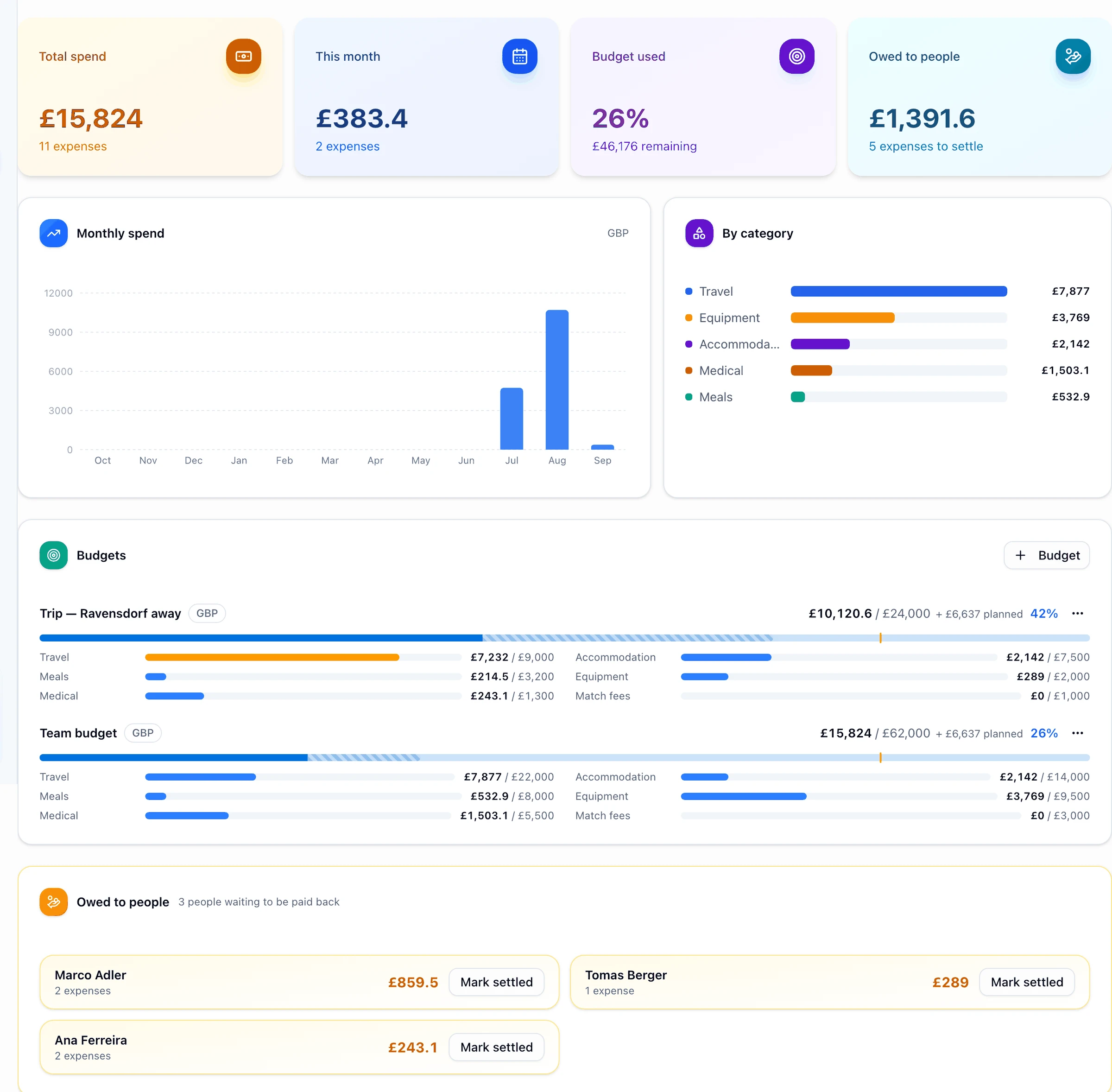
Know what the trip cost before the invoice arrives.
Budgets per category, planned spend kept separate from paid, and a running answer to the
question that actually causes arguments: who paid for something out of their own pocket and has not been paid
back. Photograph a receipt and the fields fill themselves in.
Matchday · Finance · U19
Swipe to see it all
📸Receipts that read themselvesPhotograph it on the way out of the shop; vendor, amount and date come back filled in.
💷Owed to people, settled in one clickEvery out-of-pocket expense grouped by who paid, with a bulk settle when you pay them back.
🌍Two currencies, one numberEuro invoices on a sterling budget, converted at the rate you captured, never silently mixed.
📊Cost per player, per tripCompare camps per day and per head, and hand the board a CSV that opens cleanly in Excel.
Live product, shown with demo club data.
Forms, answered & analyzed
Every answer becomes a picture.
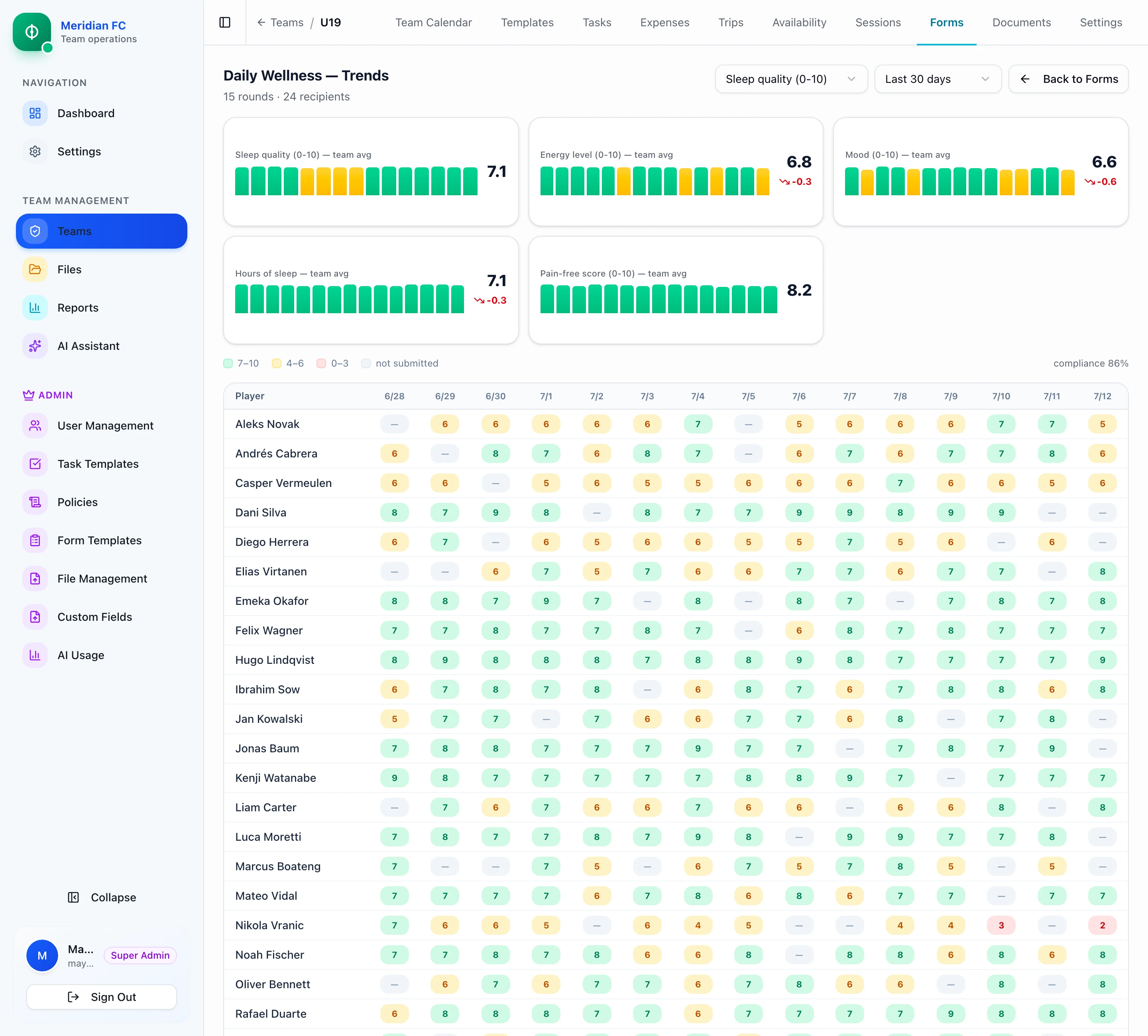
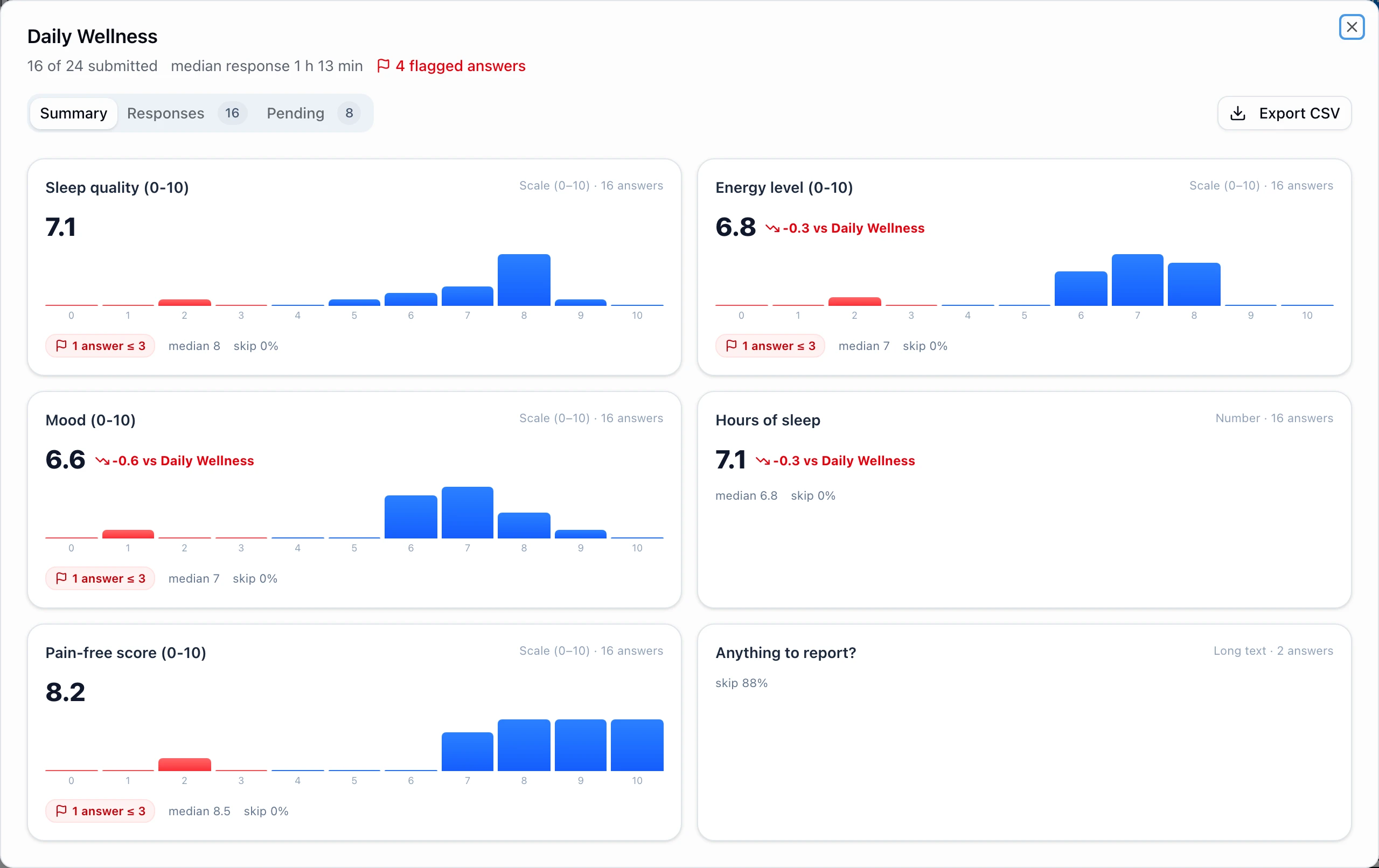
Send a wellness check every morning and the round board aggregates it in minutes:
averages, distributions and who’s still pending. The trends view lines up weeks of rounds into one
heatmap: green is fine, amber is worth a look, red is a conversation today. Medical answers stay behind
their own permission.
Daily Wellness · Trends
Round board · Summary
One round’s summary, and fifteen rounds side by side. Demo club data.
On the phone
Two apps. One system.
Everything above is a browser away, and the parts you need with your hands full are an app.
Staff run the day from the touchline, the kit room and the gate. Players get the week you published, the forms
you sent and the slots you opened. Same data, same second, no exports in between.
Not an admin console shrunk onto a phone. The five things you do standing up, and nothing else in the way.
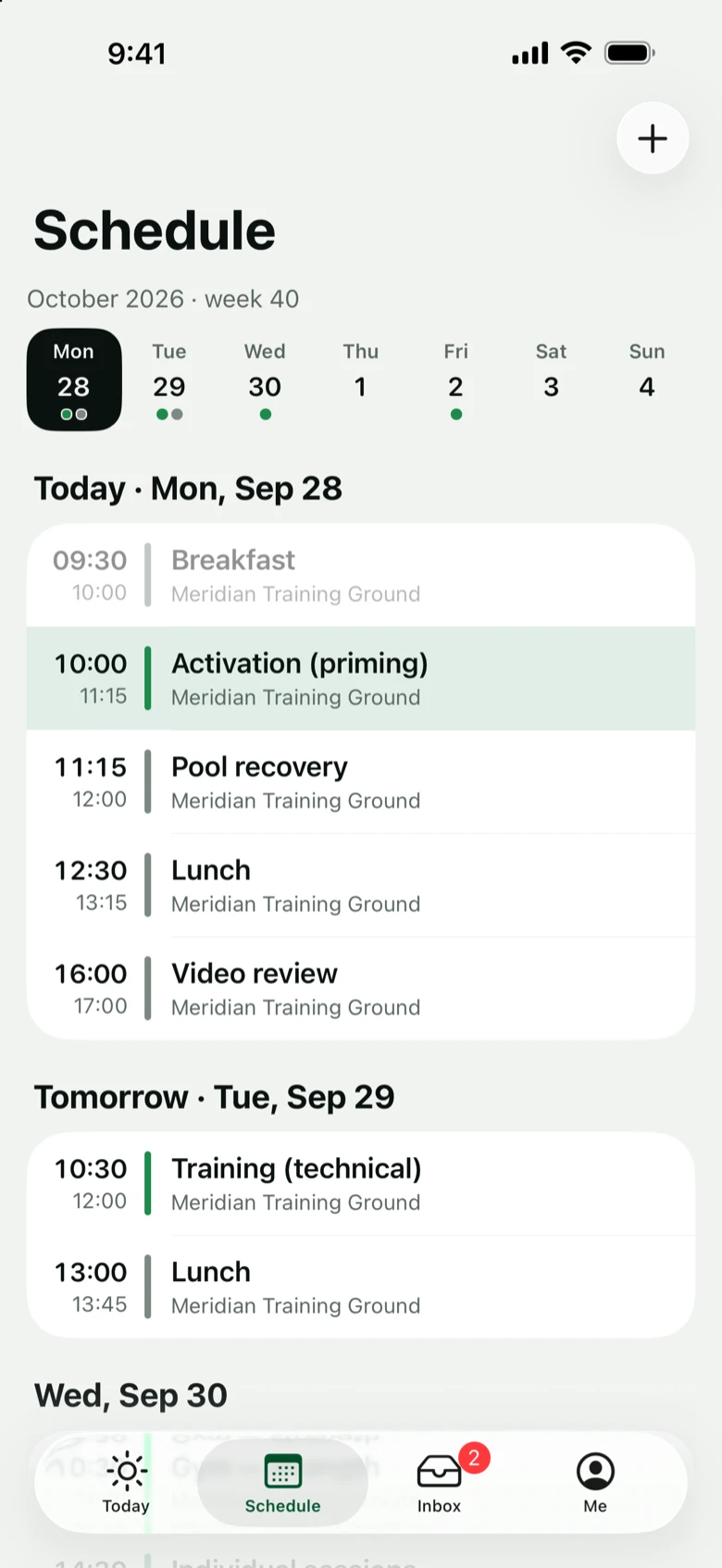
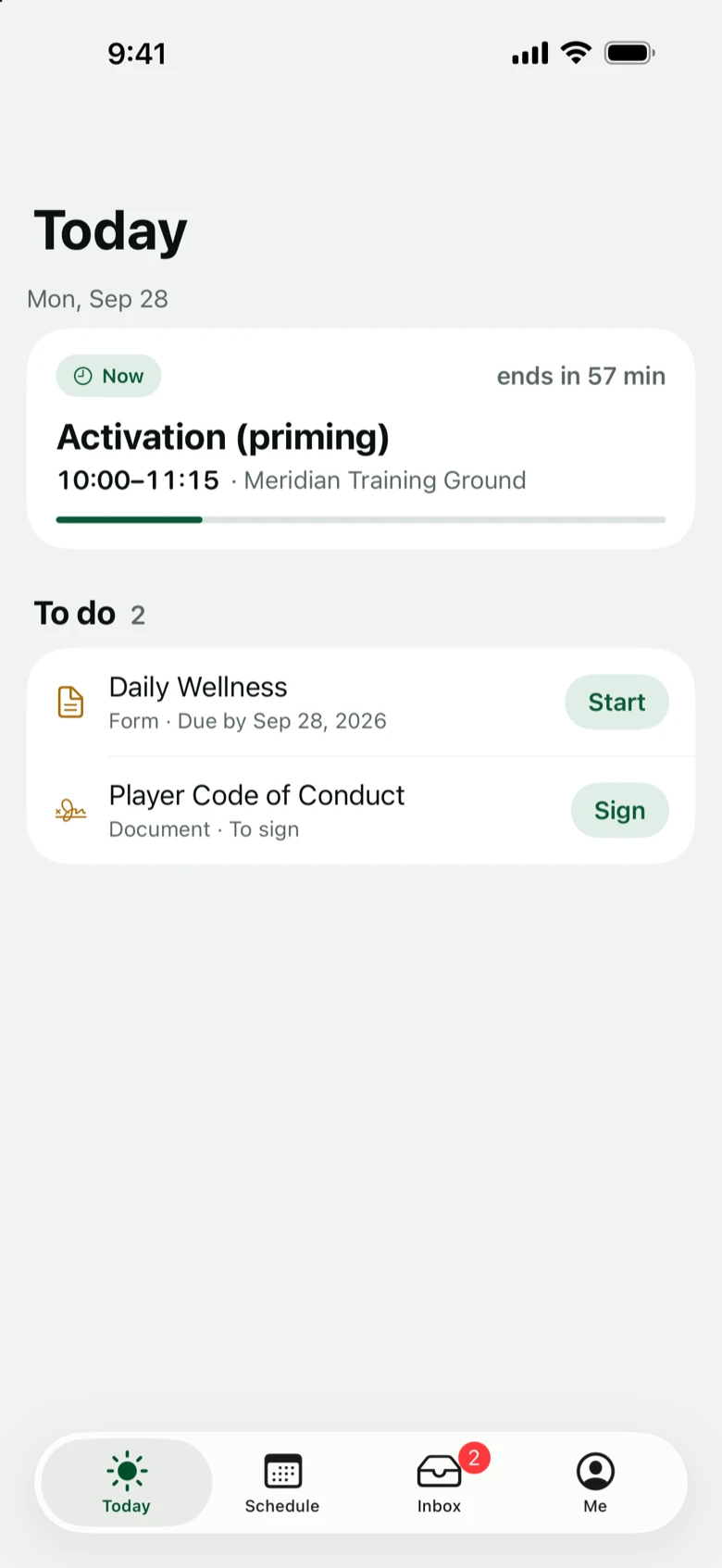
Today, one day at a time, with what still needs a person
Attendance on the pitch, present by default
Airport roll call, with the missing person’s number on the row
Packing ticks in the kit room and at the bus
Trip expenses from a photographed receipt
The trip hub: days, flights, rooms, kit and money for any trip
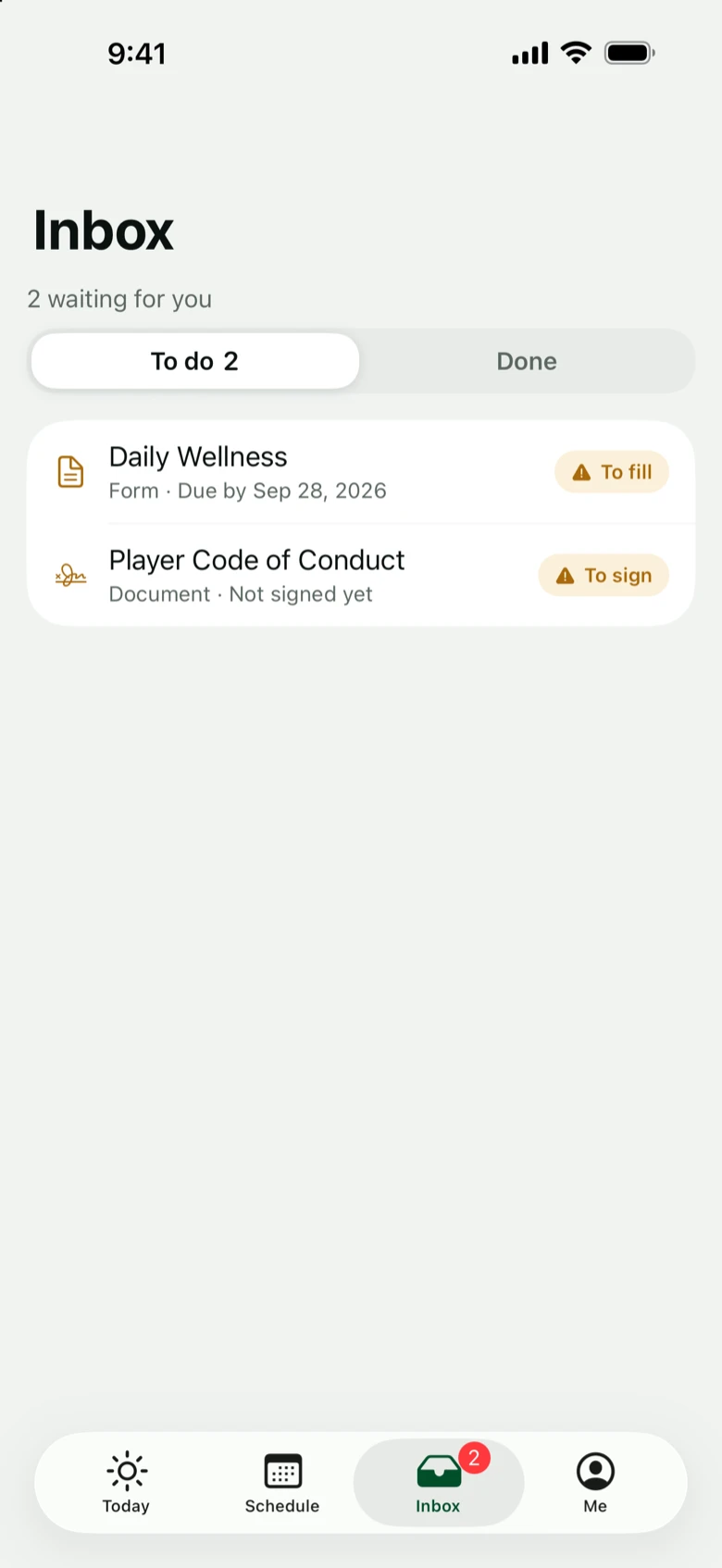
Chase-ups: remind everyone who has not answered
21:08●●●
Gate B12
BA 910 · LGW → FRA · roll call
Checked in
20/22Missing 2
9Emeka Okafor✓
4Jonas Baum✓
3Ibrahim Sow✓
6Yuto Tanaka✓
Kit
🎒9 packed · 6 loaded197 kg of 920 kg allowance
For players
The week you published, in their pocket.
No printed schedules, no “what time is training?” at 22:00, no forms chased one by one, and the
physio queue books itself.
Today and the week, always the version you published
Their trip: their flight, their room, their roommates
Wellness checks in under two minutes
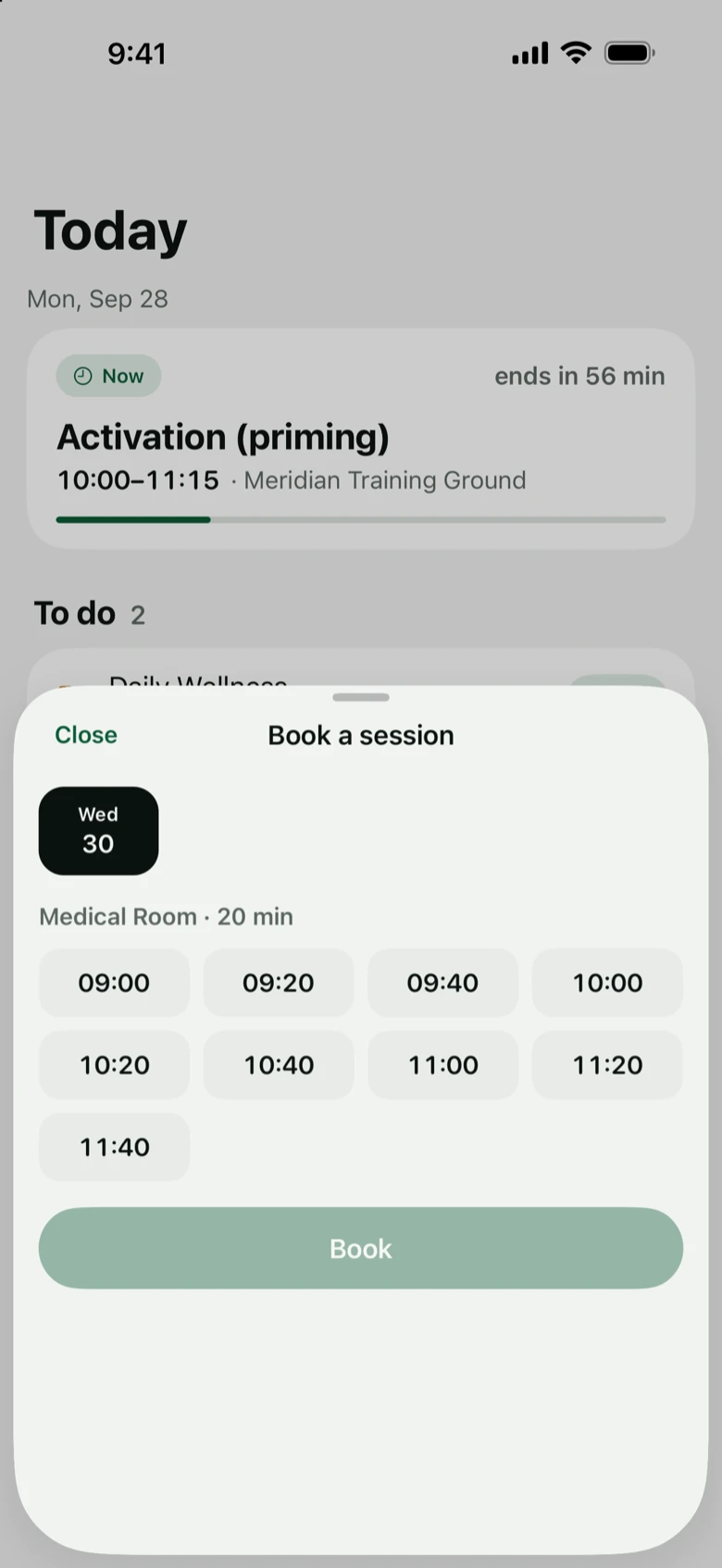
Book physio, doctor and 1:1s from a free slot, in the app or from a shared link
Sign policies from the phone, timestamped
A push when the week changes, not a group chat
Widget and calendar: the next event, and the bus when there is one, on the home screen; your schedule in your own calendar app
9:41●●●
Good morning, Dani
Meridian FC · U19
Up next
🏃Training17:30 · Pitch 2
Your trip · Austria camp
🛫BA 910 · 06:50Room 208 with Santiago Rojas
Needs your attention
📋Wellness check2 minutes · closes 12:00
In their language:
EnglishDeutschEspañolFrançaisעברית
And the rest of the job
Everything else the season throws at you.
AI reports
Ask your club anything.
Plain-language questions, real answers from your own data, with tables, charts and follow-ups included.
Who’s missed the most training this month?
2 players stand out in November:
Liam Carter
4 sessions · injury
Nikola Vranic
3 sessions · injury
Moving in
From Excel in an afternoon.
Drop your roster in as a CSV; columns map themselves, Hebrew headers included. Nothing retyped.
CSV importauto-mappingעברית ✓
Attendance
Absence is the exception.
Everyone’s present until marked otherwise. One tap to record, one report across the season.
per sessionreasons & notesseason report
Access control
Everyone sees exactly enough.
Per-feature permissions, masked personal data for view-only staff, and an audit trail on every change.
rolesPII maskingaudit log
Exports
Board-ready in one click.
CSV, PDF or Word, whatever the board asks for. Hebrew-safe, Excel-safe, every time.
CSVPDFDOCXsaved presets
Seasons
New season in an hour.
Roll every squad forward (promote, release, graduate) with history kept and a 30-day undo.
rollover wizardreversiblefull history
Custom fields
Your columns, not ours.
Kit sizes, dietary notes, agent contacts: whatever the binder held, each team defines its own fields.
text · date · dropdownper-teamvalidated
Sessions & bookings
Open slots, they book.
Physio, doctor and 1:1 windows go up once; players grab a slot from the app, or from one link in the WhatsApp group with no account. Staff see the day’s treatments on one list.
treatment slotsbooking link, no apptoday’s list
Checklists
Nothing forgotten at six in the morning.
Every trip gets named sections and tasks. Build the list once as a template, apply it to the next trip, and watch the bar fill.